
How to Enable VoWiFi on Samsung Devices
Follow the steps below to enable VoWiFi:
- Go to Settings and Connections
- Enable “Wi-Fi Calling”
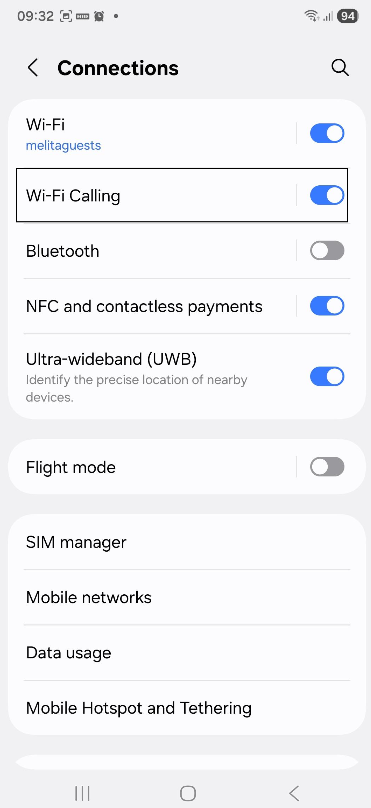
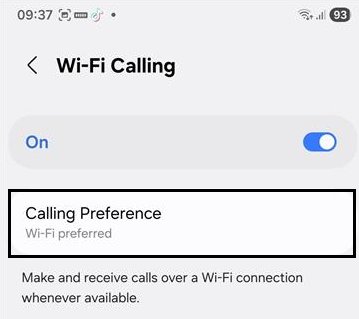
- Long press on “Wi-Fi Calling”
- Change “Calling Preference” to Wi-Fi preferred
That’s it — you’re all set! The VoWiFi icon should now appear in the status bar when you drag down from the top of the screen.