
How Set Up 2FA From MyMelita via App Authenticator
Follow the steps bellow to set up 2FAvia App Authenticator:
- On the main page, look for “Action Required”
- Click on Enable now
- Select “Configure by App Authenticator”
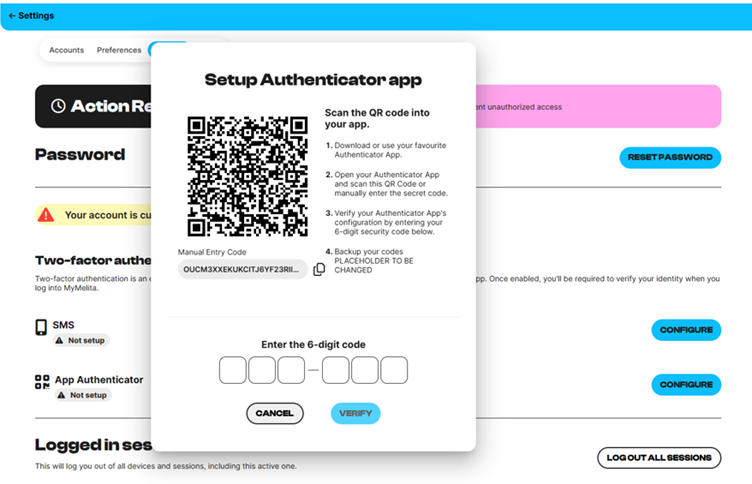
- Scan the QR code.
- Enter the 6 digit pin.
That is it you are all.
Which app is used to scan the authenticator code on iPhone and Samsung?
For both iPhone and Samsung (Android) devices, you can use an authenticator app such as Google Authenticator or Microsoft Authenticator to scan the QR code and generate the authentication codes.