
Installing your new Sagemcom Modem
Installing your new Sagemcom Modem
In order to install your Sagemcom Modem, follow the step-by-step guide below:
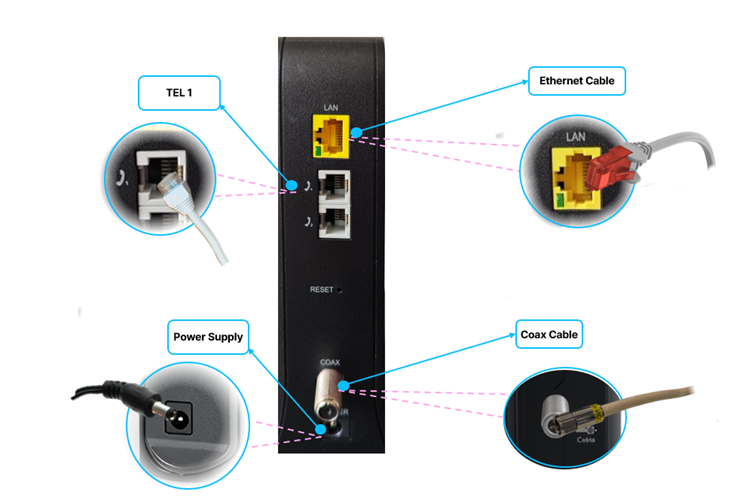
- Switch off and unplug your computer and any devices connected to your old modem.
- Connect the coax cable to the modem.
- If you have a telephone subscription, connect the telephone wire to the port labelled TEL 1 on the back of the modem.
- Connect your Eero device to the LAN port on the modem.
- Plug the power cord into the modem (port labelled POWER) and switch it on.
- Wait until all the LED lights on the front stop blinking and remain steady — this means the modem is ready for use.
- Turn on your Eero device to connect with WiFi. Kindly click Here for step by step how to connect your eero device
That’s it — you’re all set!